Why hitting the same shot has its limits
If you hit twenty 7-irons at the same target, the contact may start to feel better, and the numbers may improve as you go. The task tends to get easier once you know the distance and have repeated the shot a few times. Each attempt builds on the last. On the course, golf is less predictable. Distances and targets change, and you typically have only one attempt per shot. Repetition is useful for warming up, making adjustments, or establishing carry distance, but its value decreases if the whole session is repetitive. Hitting twenty 7-irons at one target may improve performance on that specific task, but it provides little insight into switching clubs or adjusting to new situations. When outdoor practice is limited, a golf simulator gives you a consistent place to work on your game year-round. Professional golfer and Wright Invitational founder Kevin André Wright sees that as one of the main strengths of simulator golf:
“For golfers who face a winter season, golf simulators are almost invaluable. Winter means we do not have the same access to courses and driving ranges, but a golf simulator allows you to practice with a clear purpose throughout the year.”
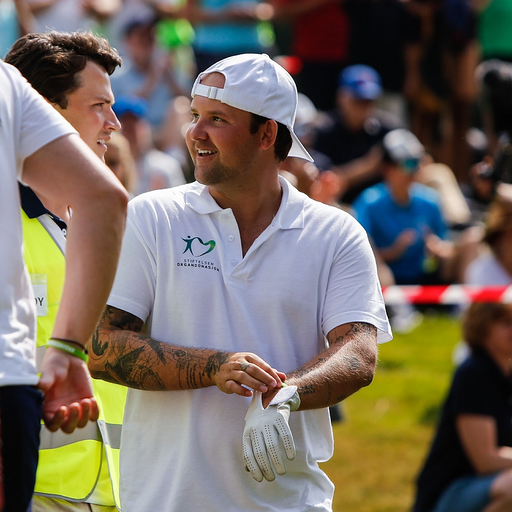
Repetition helps with targeted improvements, while varying the task can show whether those changes hold up in a different situation.
One session will not fix your entire swing
Start each session with a clear goal. Specific targets, like hitting 7 of 10 wedges within 10 yards, can make practice more focused and progress easier to track. Avoid vague goals like “working on my swing.” Instead, focus on specifics such as carry distance or wedge control. Once you have a clear objective, it is easier to choose a practice format and decide which numbers are worth following.
Warm up before the numbers matter
Initial swings rarely reflect your typical performance. Start with gentle stretches, then hit a few short wedges before moving to longer clubs. Use this time to warm up and check your alignment. Once your swing feels normal, begin comparing the results.
Your best shot does not define your baseline
Hit 5-10 shots with one club to find your baseline, the average, not the best or worst shot. This gives you a realistic measure for tracking progress. Focus on patterns across shots, average carry, start direction, dispersion, and common misses, rather than individual results. The longest or straightest shot shows what is possible when everything lines up. The pattern across several shots tends to be more useful. It gives you a better idea of what you can actually rely on when choosing a club on the course.
More data does not always lead to better practice
Modern golf simulators provide plenty of data after each shot, but reviewing every metric is rarely necessary. Wright sees the objective feedback as one of the biggest advantages:
“Instead of guessing what is happening in the swing, you get numbers showing what you are doing well and what could be improved. You can build precise carry distances, test different shot shapes and follow your development over time.”
The most relevant metrics usually depend on what you want to work on. For distance control, focus on carry distance and ball speed. For start direction, consider launch direction and face angle if available. To understand shot shape, review club path and face-to-path. For accuracy, overall dispersion and distance from the target are often more informative than individual technical metrics. Simulators vary in the data they provide. Some offer detailed club metrics, while others focus more on ball flight and the final result. It helps to focus on the numbers that answer the question you came in with.
Vary the challenge with each shot
After the technical part of the session, it is worth changing the task. For approach practice, picking a range like 75 to 175 yards is a good place to start, but it helps to match the distances to the clubs you actually use. Changing the target and distance after every shot makes the session less predictable and closer to the decisions you face on the course. One distance might call for a wedge. The next could need a mid-iron. You have to step away, assess the shot, choose a club, and rebuild the setup before committing. Use simulator features like skills modes that let you change distances, set targets, or compare results.
No random-distance feature?
A random number generator on your phone is usually enough. Set a minimum and maximum distance, generate one target, and choose the club you think fits. Give yourself one attempt, record the result and move on. Keeping a simple note of each shot, including the club, distance, result and any relevant details, can help you spot patterns over time and decide what to focus on next session. The exact tool matters less than the shift in decision-making.
Treat each ball as the only one you get
It is easy to place several balls next to the mat and move straight from one swing to the next, but that can make practice less intentional. Instead, step away, read the new distance, choose a target and follow the same pre-shot process you would use on the course. That might mean standing behind the ball, visualizing the flight, checking your alignment and committing to the shot. If you miss, record it and move on. Several similar misses can reveal a pattern worth paying attention to.
Distance alone does not tell the full story
Simulator practice often turns into one question: how far does each club go? That matters, but it’s only part of the picture. For approach shots, it helps to look at how close the ball finishes to the target. For tee shots, consider the overall dispersion and whether your normal miss would still leave you in a playable position. If the system does not measure proximity automatically, a simple note is enough:
- Club selected
- Target distance
- Carry distance
- Distance from target
- Direction of the miss
After a series of shots, certain distances or miss patterns tend to show up more often. Those patterns give you something concrete to come back to in the next session.
The final test is to stop practicing
Indoor golf can't fully recreate putting, rough, or outdoor conditions, but it does test your ability to switch clubs, manage targets, and commit to results. You can also add variety by changing targets, distances, and shot requirements, rather than trying to recreate every outdoor condition. If the venue offers different hitting surfaces or practice settings, these can add another layer. The goal is not to copy outdoor golf, but to make the session less predictable and require more decisions from shot to shot. Wright also points out that simulator golf does not need to be purely technical:
“It works both for players who want focused, structured practice and for those who simply want a fun and social golf experience with friends. You can play some of the world’s best courses, compete and enjoy it regardless of your level.”
That’s part of the appeal: structure without being clinical.
Make every shot a new decision
The goal is not just to finish the session hitting better shots than when you started. A useful session should leave you with a clearer idea of your normal pattern, the distances you can rely on and the shots that still need work. The more often practice asks you to make a new decision before each shot, the more relevant the session becomes when you return to the course.
FAQ
Is golf simulator practice good for improving your game?
Yes. Golf simulators give immediate feedback on each shot and can help you work on carry distances, dispersion, shot shape and consistency. The most useful sessions combine focused repetition with changing clubs, targets and distances.
How should I practise on a golf simulator?
Start with one clear goal, warm up and establish a baseline. Then focus on the few measurements that matter for that goal before introducing more variation through different clubs, distances and targets.
What should I track during a golf simulator session?
Track the data that relates to what you are working on. Carry distance, dispersion, start direction and distance from target are useful for many golfers. Some systems also provide club data such as club path and face angle.
Can golf simulator practice help your game on the course?
Yes. It can help you understand your normal shot patterns, build more reliable carry distances and practise club selection and pre-shot routines. Changing the task throughout the session can make the practice more relevant to the decisions you face on the course.
Can you practise golf year-round with a simulator?
Yes. A golf simulator gives you a consistent place to practise when outdoor conditions or seasonal closures limit access to a course or driving range.

